zonabet Casino Mobile App
We at zonabet build a mobile-first experience so you can access Liga 1, Piala Indonesia, Piala AFF, Champions League football markets, live-dealer tables, and slot games from your phone or tablet wherever you are.

- Installin
- SHA256 Match
- LoginOTP Verification
- and
Mobile access to our platform works through three main paths: an Android APK installation, an iOS web app, and a responsive browser version that works on any device. Each route gives you the same account, payment records, and sportsbook context, so your DANA, e-wallet, mobile banking, local payment, online payment, e-wallet, mobile banking, local payment, online payment, and e-wallet deposit and withdrawal history stays consistent across devices.
We understand that many of our users in Jakarta, Surabaya, Bandung, and Medan access zonabet on the move—during breaks, commutes, or between work shifts. That's why we optimise for slow network conditions, offline caching, and rapid load times so you never miss a match schedule, live market update, or account notification.
zonabet app options and installation paths
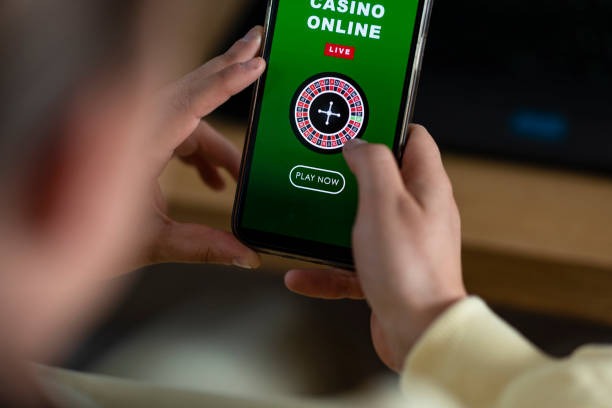
We offer three installation options to suit different devices and user preferences. You can download our Android APK directly, use our iOS web app on Safari, or simply open our website on any mobile browser. Each option carries the same security protocols, account linking, and payment integration, so your choice depends only on your device and comfort level.
How to install and start using zonabet
-
Download the APK or add web app to home screen
For Android, download the APK file to your device; for iOS, open zonabet.app in Safari and select "Add to Home Screen" from the menu.
-
Grant necessary permissions and trust the certificate
Android may prompt you to allow installation from unknown sources; approve this to proceed. iOS web app does not require additional approvals.
-
Create or log into your zonabet account
Open the app and register a new account or log in with your existing credentials to access your account, deposits, and sportsbook markets.
-
Start using Liga 1, live tables, and other features
Once logged in, you can browse football schedules, view live markets, access live-dealer tables, and manage your DANA, e-wallet, or mobile banking payment methods.
App versus browser: our zonabet design choice
We built our zonabet app and browser version to be functionally equivalent so you choose based on convenience, not capability. The installed app (Android APK or iOS web app) offers offline cache, which means you can view cached match schedules, your account balance history, and completed transactions even if your internet momentarily drops. The app also supports push notifications for upcoming Liga 1 matches or withdrawal confirmations. Our browser version runs on any device—smartphone, tablet, or desktop—and updates automatically without requiring you to reinstall, so you always have the latest security patches and feature updates.

Device compatibility and system requirements
Our zonabet app works on Android 7.0 and later, covering the vast majority of phones and tablets in use today. For iOS users, we recommend iOS 12 or later when adding our web app to your home screen. Both paths are designed to run smoothly on mid-range devices with modest amounts of memory, so you do not need the newest flagship phone to access our sportsbook, live-dealer tables, slots, or payment features. We test our app and browser on common devices to ensure Idul Fitri, Idul Adha, Imlek holiday traffic and peak football season load times remain reasonable.
Common installation issues and how to resolve them
The most frequent issue is Android asking for permission to install from unknown sources. This is a security prompt; to proceed, open your device Settings, find Security or Applications, and enable "Unknown sources" or "Install unknown apps." Once the APK is installed, you can disable this setting again. Another common concern is certificate trust: when you first open the app, your device may show a security warning because our certificate comes from a trusted but third-party issuer. This is normal and does not indicate a problem; proceed with installation. If your browser version loads slowly, clear your browser cache and try again, or switch to the installed app which uses local caching. For any persistent issue, our FAQ page contains detailed troubleshooting steps.
Data, permissions, and account security on zonabet
When you install our app or use our browser, we request only the permissions necessary for the service. On Android, we may ask for internet access, which is essential for connecting to our servers and processing DANA, e-wallet, mobile banking, or bank-transfer payments. We do not ask for access to your contacts, camera, or location unless you explicitly choose to enable optional features. Our Privacy policy explains exactly how we collect, use, and protect your account information, payment history, and device data. We encrypt your login credentials, use secure server connections (HTTPS), and apply the same account-verification protocols on mobile as on desktop, so your account identity, withdrawal requests, and KYC documents are protected across all platforms.
Your account credentials—username and password—are stored securely on your device and never shared with third parties. If you log out, your local cache may persist for offline viewing but does not contain sensitive payment or account-recovery details. We encourage you to use a strong, unique password and to log out when using a shared device. If you suspect unauthorized access, you can reset your password through our login page or contact our support team via your account message area.
Our zonabet app and browser site are available only where local law permits. When you use any version of our platform, you confirm that access and use comply with the laws of your own jurisdiction. We do not offer our services in jurisdictions where online wagering is prohibited. Your account setup, deposits via local payment or online payment, live-dealer play, and withdrawal requests are all subject to our Terms and the same jurisdiction checks, whether you access us from a mobile app or a web browser.